|
CryptoExpert 2003
| Tour |
 |
Unmap and Unmount container when Done
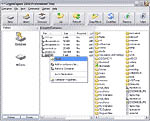
When you are done working with your encrypted
files, you can make them unavailable by clicking the UnMap
icon, logging off as a user or simply shutting down your PC.
Your files will not be accessible again until you click the
Map icon and enter your password.
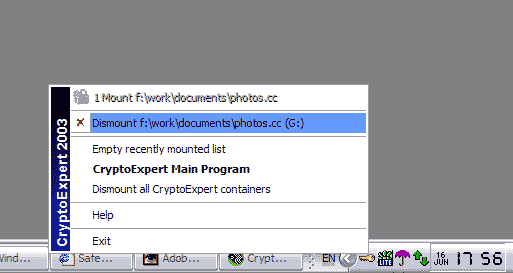
You can do it by clicking on tray icon and choose
dismount command.
Install
Create an Encrypted Container
Map the Container to a Drive Letter
Using virtual drives like normal drives
Unmap and Unmount container when Done
|
|
|
- Spotlight -
May 12, 2008
May 6, 2008Released AEP 2008 PRO&STD v.4.7.3 Decrypt Window from Shell Context Menu is displayed on the top of other system windows. |  |
May 3, 2008
April 29, 2008Released CryptoExpert 2008 Pro&Lite v7.5.10 Drive image file is selected on "Go to file location". Added "Open X: in current files pane" context menu command for mounted virtual drive. |  |
Versions news archive
Become
our reseller or affiliate!
You can get an additional month income by selling our products to your
customers. We have good discount rates for every kind of reseller. Please take a
look at our reseller's agreement
Last column? What can we say... We at SecureAction Research are working hard to
create software which is useful for business. Your Business! .
|